
Transactions from your bank, cards, payroll, billing, and payment processor are automatically categorized, reconciled, and matched as they land. The books are done hourly, not 6 weeks after month end.
Get Started Today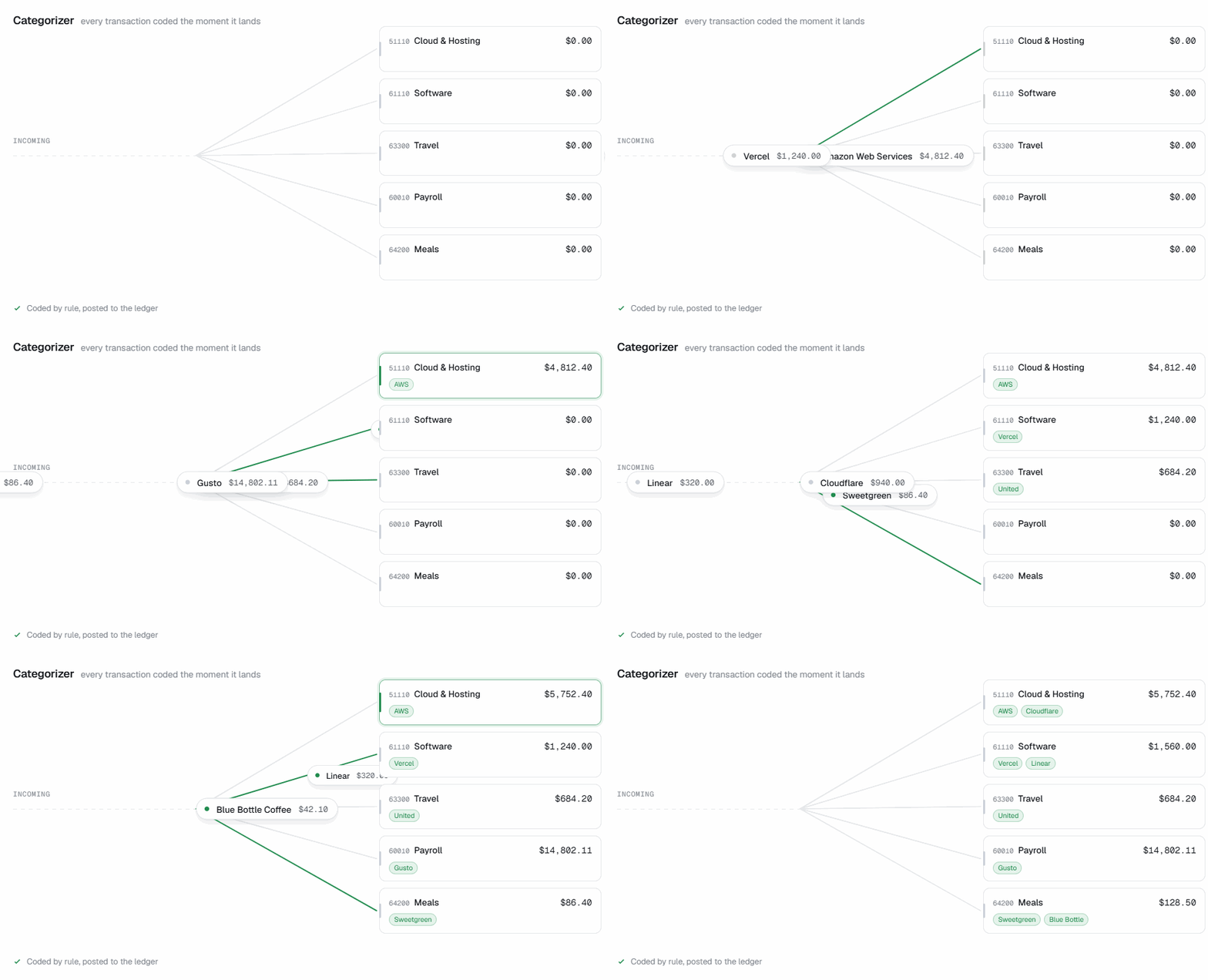
: Features
Every transaction is coded to the right account within the hour it lands. The same rule applies every time, so a vendor is never coded one way in March and another way in April. Coding follows the custom chart of accounts built for your business when you join T:0.

Bank, cards, payroll, billing, and payments reconcile against each other rather than each in its own silo. A Stripe payout, the fees deducted from it, and the deposit that lands three days later are one connected story instead of three unmatched lines.

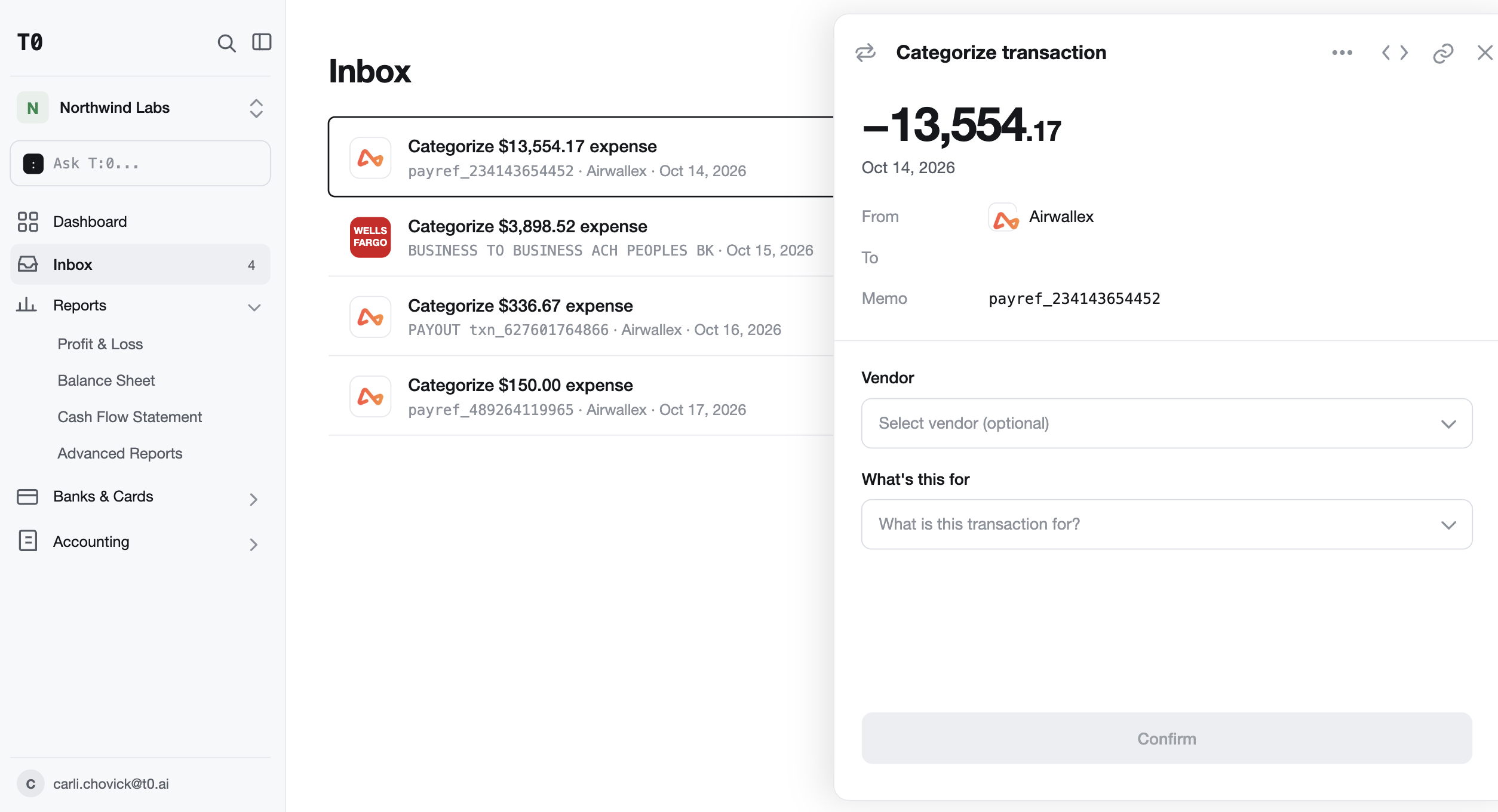
An unfamiliar vendor, an unusual amount, a charge that could reasonably be two things. T:0 flags these transactions in your inbox, records your answe, and applies it from then on without asking again.
: How T:0 is different
AI reads your business and writes the categorization rules. The ledger applies them the same way every time, so you are not reviewing a confidence score on every transaction, and the same vendor never lands in two different accounts in two different months.
Our product success team, all in-house CPAs, reviews and finalizes your categorization rules before they touch your books. Included on managed plans, and available on the platform plan through a free onboarding session with the same team.
Nothing accumulates into a pile that has to be cleared. Your books are current when you open them on the 9th, the 23rd, or the day an investor asks for them.
: FAq
T:0 builds your statements from the ledger that records every transaction, so they are complete whenever you open them:
Bookkeeping automation software records, categorizes, and reconciles a company’s transactions without a person doing it by hand. T:0 connects to your bank, cards, payroll, billing, and payment accounts, codes each transaction as it arrives, and reconciles every account against the others.
A venture-backed startup needs three things most small-business tools do not offer: accrual-basis books from day one, categorization that stays consistent as the business changes, and an audit trail that holds up in diligence. T:0 was built for seed to Series A companies in SaaS, AI, fintech, and developer tools.
T:0 starts at $199 per month, which includes automated bookkeeping across every connected account, your custom chart of accounts, and financial statements. Managed plans that add a dedicated CPA start at $599 per month. See pricing for full details.
Bank accounts, corporate cards, payroll, billing, and payment processors, including Stripe, Ramp, Brex, Mercury, Deel, and Gusto, with 12,000+ integrations in total. Transactions flow in automatically, so there is nothing to upload and no CSV to clean.
Not for the daily work. Categorization, reconciliation, and document matching run on their own, and T:0 only asks you something when a transaction genuinely needs a judgment call. If you want a professional reviewing exceptions and signing off each month, managed plans include a dedicated CPA.
Yes. T:0 is a complete general ledger with bookkeeping built into it, not an automation layer that writes into someone else’s accounting software. When you connect your accounts, T:0 imports your transaction history, so prior periods stay intact.
Hourly. Transactions are categorized and reconciled as they arrive, so your books are never more than an hour behind the business and there is no month-end catch-up.
T:0 builds a profile of your business and writes categorization rules from it. Our product success team, which are a bunch of CPAs, will review and finalize all categorization rules to ensure your books are set up properly. On managed plans this is included; on the platform plan it happens in a free onboarding session with the same team. The ledger then applies those rules deterministically, so the same transaction always produces the same entry. Every rule is visible in T:0, so you can see not just what was recorded but why.
It sends you a message via the in-app Inbox and asks you a short question rather than guessing. Your answer is recorded and applied automatically from then on, so the same question is never asked twice.
Conventional reconciliation matches two lists after the fact. T:0 works the other way around: because the ledger already knows a payout or payroll run is coming, the bank line confirms what was expected. Only genuine exceptions need attention.
Yes. Entries post through CPA-reviewed rules rather than per-transaction guesses, and every entry traces back to the transaction and document behind it. Before you file your taxes, we recommend having a CPA review your financials, a service we offer on managed plans.
: Explore the platform
From the first transaction to the board deck.

An accounting engine built around your business, with a chart of accounts generated from how you actually operate.

Build any report by asking for it. Burn, runway, flux, and board reporting from live books.

ASC 606 applied as a rule, with deferred revenue schedules that reconcile to the contracts behind them.

Every subsidiary and currency in one ledger, with intercompany eliminated automatically and a consolidated close in days.




